- PagerDuty /
- Integrations /
- Server Density Integration Guide
Server Density Integration Guide
Server Density is a hosted monitoring service that provides comprehensive host-level monitoring for systems running Linux, FreeBSD, Windows, and MacOS X. Server Density can also monitor common server software such as Apache, MySQL, and Nginx. Its flexible plugin architecture allows it to be extended to monitor custom software. Server Density can be easily configured to pass all alerts to PagerDuty. Using PagerDuty, you can receive your Server Density alerts via phone call, SMS, or email; configure automatic escalation of alerts; escalate alerts right from your mobile phone; and set up on-call duty scheduling.
In PagerDuty
-
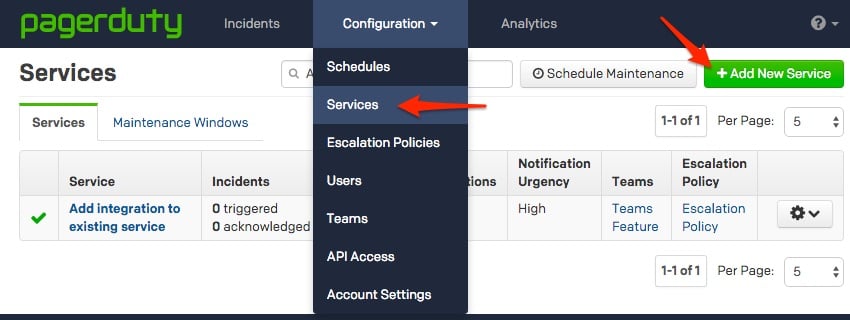
From the Configuration menu, select Services.
-
On your Services page: If you are creating a new service for your integration, click +Add New Service. If you are adding your integration to an existing service, click the name of the service you want to add the integration to. Then click the Integrations tab and click the +New Integration button.

-
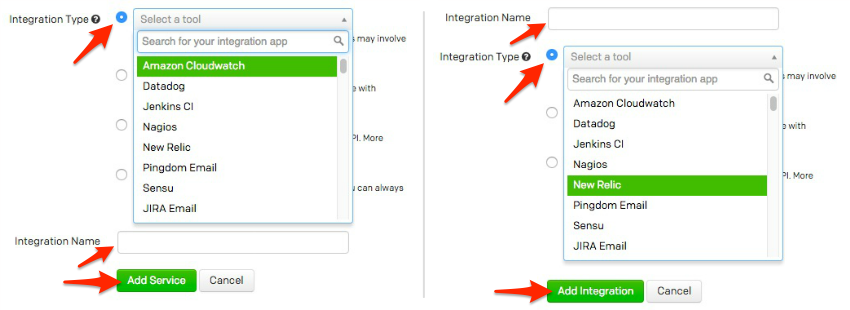
Select your app from the Integration Type menu and enter an Integration Name. If you are creating a new service for your integration, in General Settings, enter a Name for your new service. Then, in Incident Settings, specify the Escalation Policy, Notification Urgency, and Incident Behavior for your new service.
-
Click the Add Service or Add Integration button to save your new integration. You will be redirected to the Integrations page for your service.
-
Copy the Integration Key for your new integration:


In Server Density
-
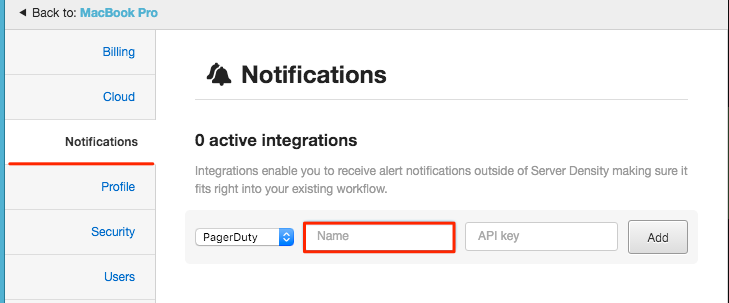
Click on the Notifications tab and then on the PagerDuty tab. Enter a name for your PagerDuty service and paste in the service key you previously noted (Step 5). Click on the + sign to save the notification.
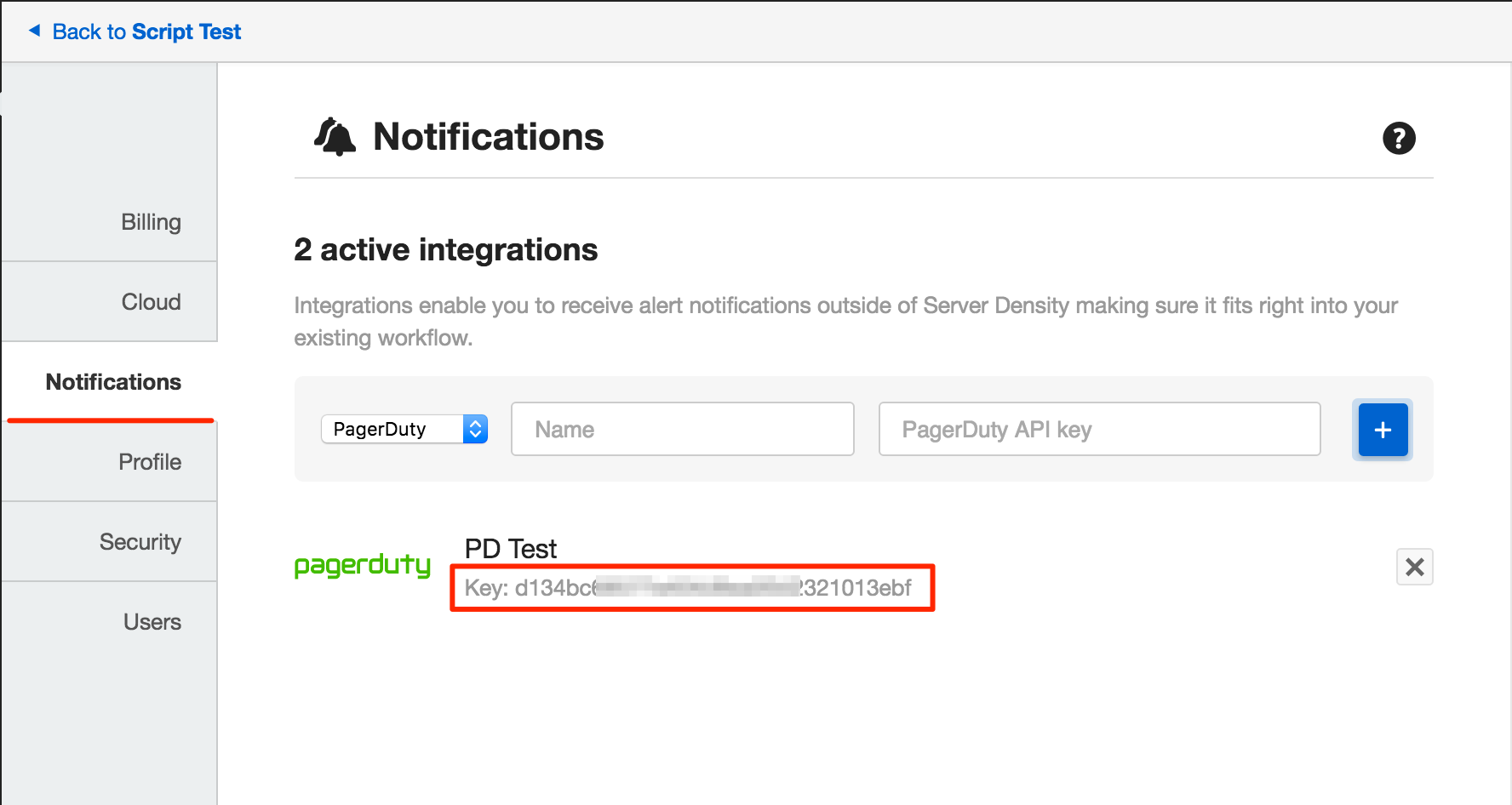
Once saved, you will see the service in the Preferences window:
-
When adding an alert, scroll to the bottom of the recipients list (or search for the name) and select your PagerDuty service to select it as a recipient.
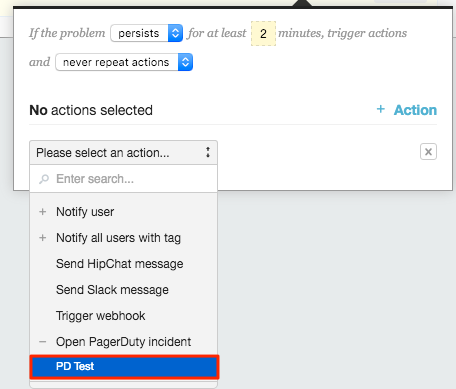
Once an alert is triggered or resolved within Server Density, it will also be triggered or resolved within PagerDuty.
FAQ
Can you configure ServerDensity alerts to target different PagerDuty services?
Yes, in order to do this, repeat all of the steps in this guide for an additional PagerDuty service and ServerDensity alert.If you run into any problems with the integration, please contact us at support@pagerduty.com.
Ready to get started?
Try any product on the Operations Cloud for free.
No credit card required.