Diagnose
How to diagnose and troubleshoot issues faster
Good vs better vs best practices for diagnosing and troubleshooting issues faster in PagerDuty.
When Does This Matter
When you are assigned an incident that requires some level of troubleshooting and investigation to determine the best steps toward resolution, it’s important to have the right diagnostic information as soon as possible to get to resolution faster.
Why You Should Care
Incidents can be stressful and the best way to help with that stress is to reduce the amount of time the incident is open. The faster you identify what exactly is broken, the faster you can engage the right people or take action to start bringing things back online.
PagerDuty Practices
PagerDuty can help teams diagnose issues faster with embedded incident context, automation, and AI.
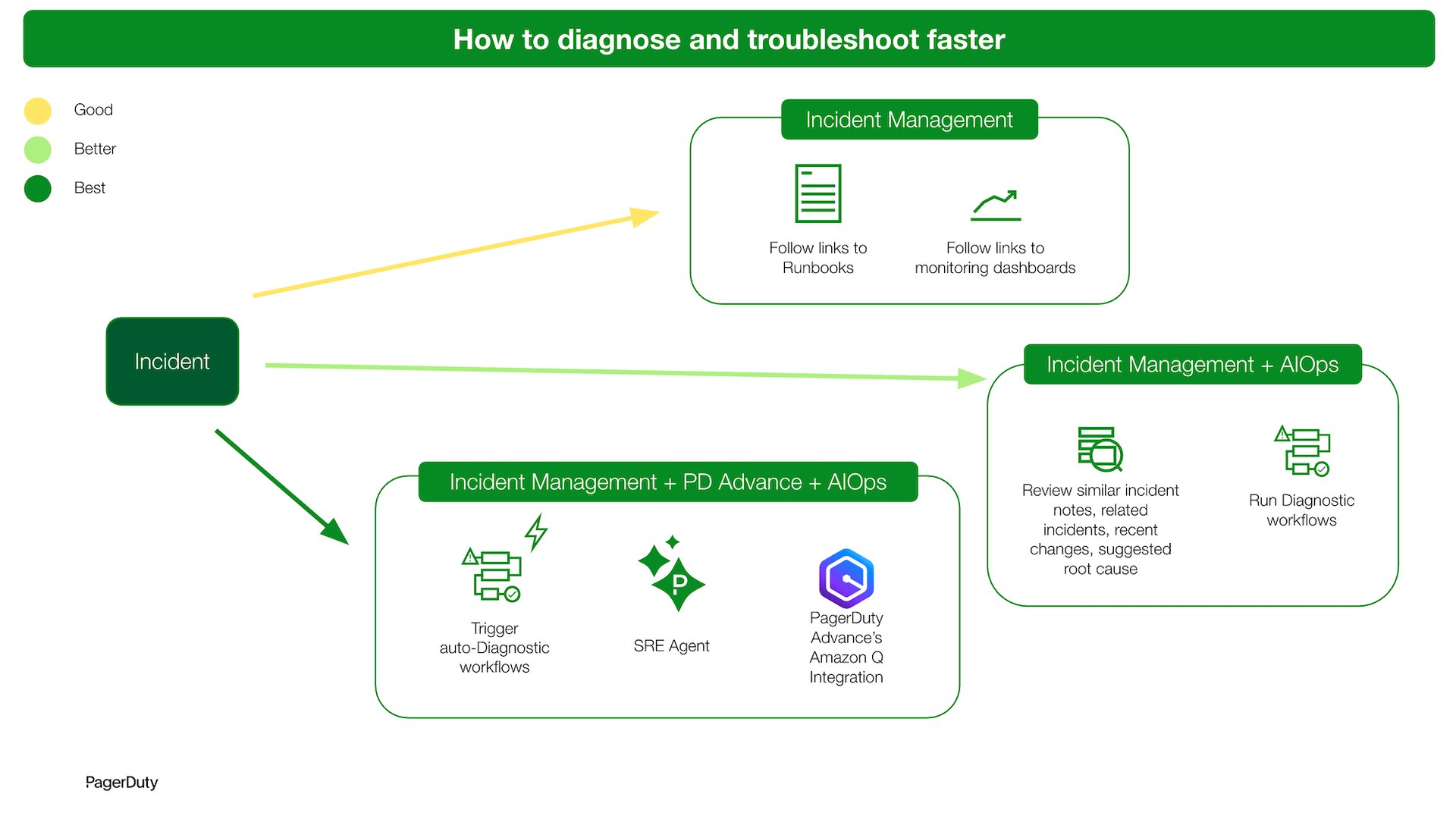
Description of Practices
Good
Follow links to runbooks and observability dashboards from an incident to diagnose and troubleshoot the issue.
Better
Review past/similar incidents, related incidents, recent changes and other contextual info to understand the incident’s impact and suggested root cause. Run incident workflows to retrieve diagnostic information from third-party sources for further analysis.
Best
Automatically-trigger incident workflows to retrieve diagnostic information upon getting notified. Consult with PagerDuty’s SRE Agent and/or Amazon Q (via the PagerDuty Advance integration) to get suggestive diagnostic next steps based on historical incident data or data from Amazon Q-connected sources.