Employee Success Stories
How PagerDuty's Integrations Team Uses Workflows and More to Promote Continuous Learning and Improvements
Learn how one team used custom fields, incident workflows, and AI to continuously learn from past incidents.
- PagerDuty /
- Ops Guides /
- Using PD /
- Custom Fields - Integrations Team
The Challenge
How They Were Working
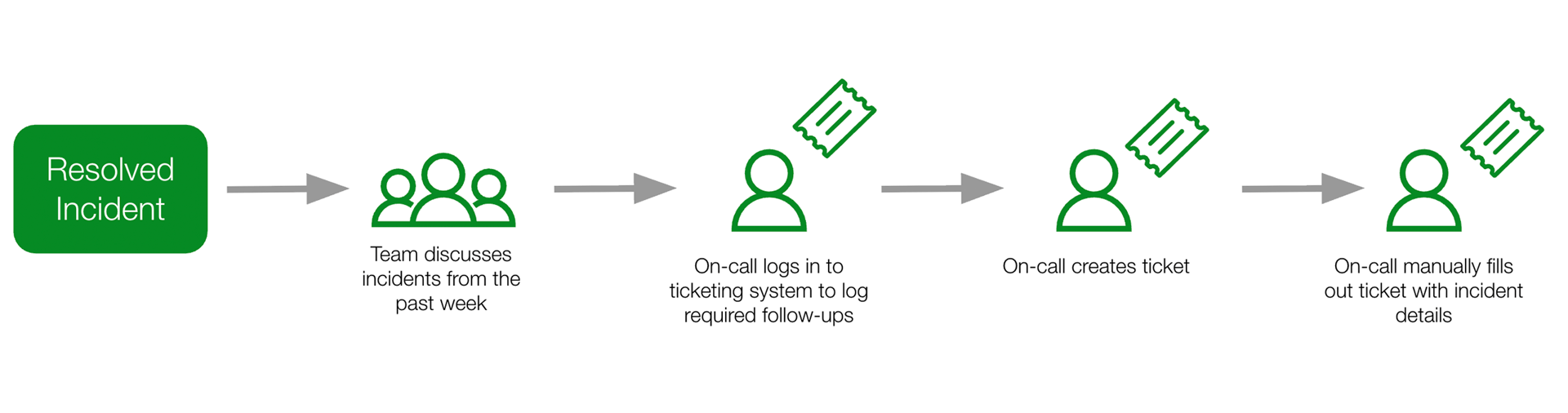
The team talked through their incidents in weekly on-call reviews to share learnings, discuss incident trends, and manually create tickets to track follow-up work.
Pain Points
Lack of granular reporting
Team manager lacked visibility into granular incident data to understand incident trends.
Manual Toil
The on-call had to manually create tickets to track post-incident action items.
Tribal knowledge
Learnings from past incidents were shared but not well documented.
Key Challenge
Managing an on-call rotation with limited visibility into incident patterns and trends, tribal knowledge sharing, and manual follow-up processes.
The Solution
What They Did
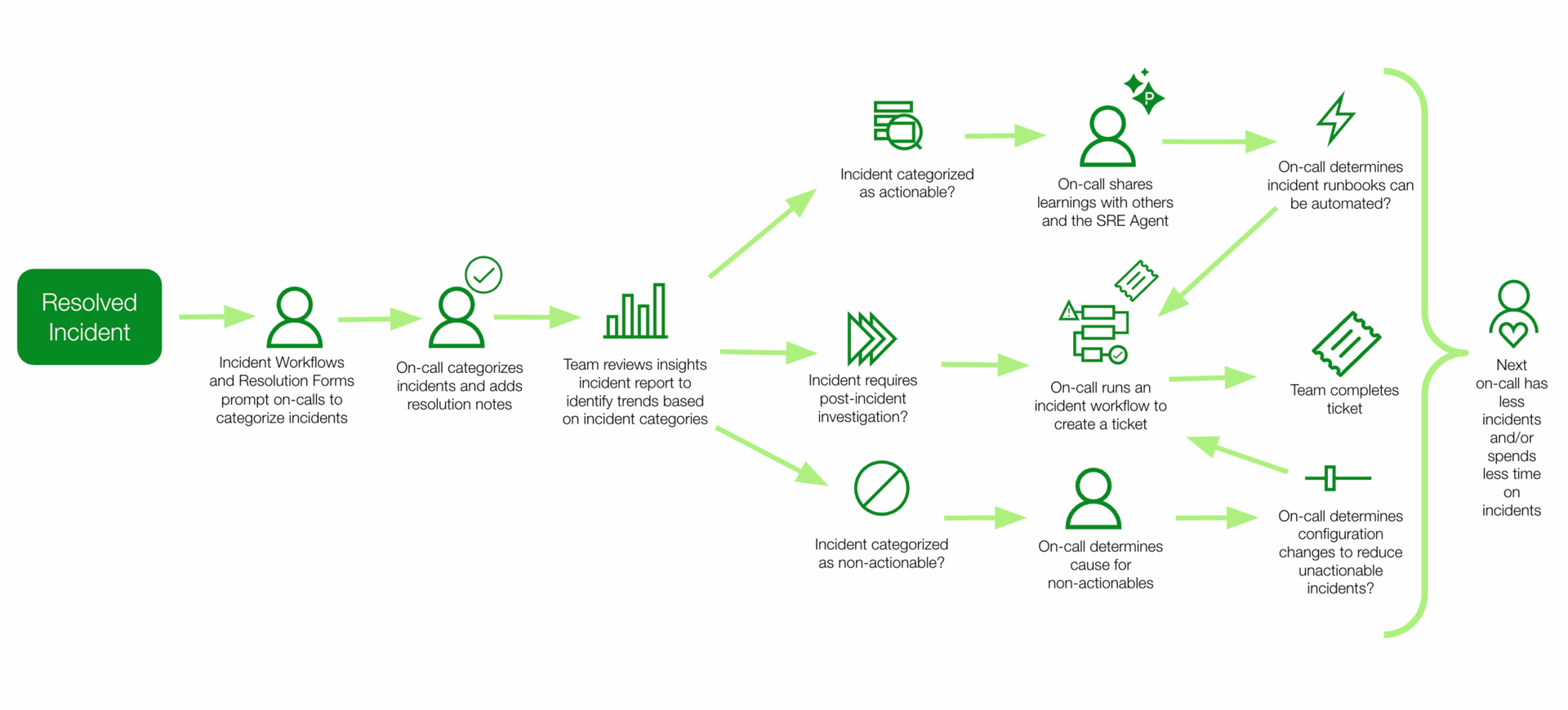
Created an incident type with custom fields to categorize incidents
Enabled Required fields on resolve to enforce on-calls to fill in fields
Created an Incident workflow to set the incident type on specific incidents and remind the on-call to fill out the fields upon resolve
Run insights report for weekly reviews
Created an incident workflow to auto-create tickets to track follow-ups
Shared learnings with the SRE Agent for future AI-generated recommendations on how to resolve the next similar incident
The Results
How They Are Now Working
With categorized incidents, automated ticket creation, and a method to document learnings with the SRE Agent, the team now has a more efficient way to continuously learn from past incidents.
Testimonials
The current incident categorization in PagerDuty helps me understand the nature of my team’s on-call shifts, where we are spending our time, and where operational improvements can be made.
— Engineering Manager
Wins
Improved incident reporting
Team manager has increased visibility into granular incident data to understand incident trends.
Reduced manual toil
The on-calls spend less time creating tickets using automation.
Codified knowledge sharing
Learnings from past incidents are shared with the SRE Agent, which remembers and suggested next steps for resolution to the next on-call.
Outcomes
Less Manual Steps
Reduction in manual steps to complete for post-incident action item tracking.
Time Savings
Hours saved from automatically creating tickets within a 3 month period.
More Reportable Data
Increase in reportable data to assess incident trends.
Lessons Learned & Tips
- Start with simple/basic category options and add more as incidents are categorized and need more refined categories
- Use resolution forms to set required fields on resolve
- Use incident workflows to remind users to categorize incidents if incidents are resolved automatically
Ready to transform your incident resolution process?
Start your free trial today and see the difference.
Start Free Trial