Collaborate
How to collaborate on an incident with other users in teams
Good vs better vs best practices for collaborating on an incident with other users or teams in PagerDuty.
When Does This Matter
When an incident requires input, context, or action from multiple people, effective collaboration becomes essential to resolve issues quickly and minimize impact.
Why You Should Care
Poor collaboration during an incident leads to confusion, wasted effort, miscommunication, and slower resolution. When responders work in silos or use scattered communication channels, critical information gets lost, duplicate work happens, and decision-making slows down. Streamlined collaboration ensures everyone has the context they need, can coordinate effectively, and can resolve incidents faster with less stress.
PagerDuty Practices
PagerDuty can help facilitate better collaboration on incidents through ChatOps and Conferencing integrations, as well as extended paging and AI capabilities that centralize all communication and context.
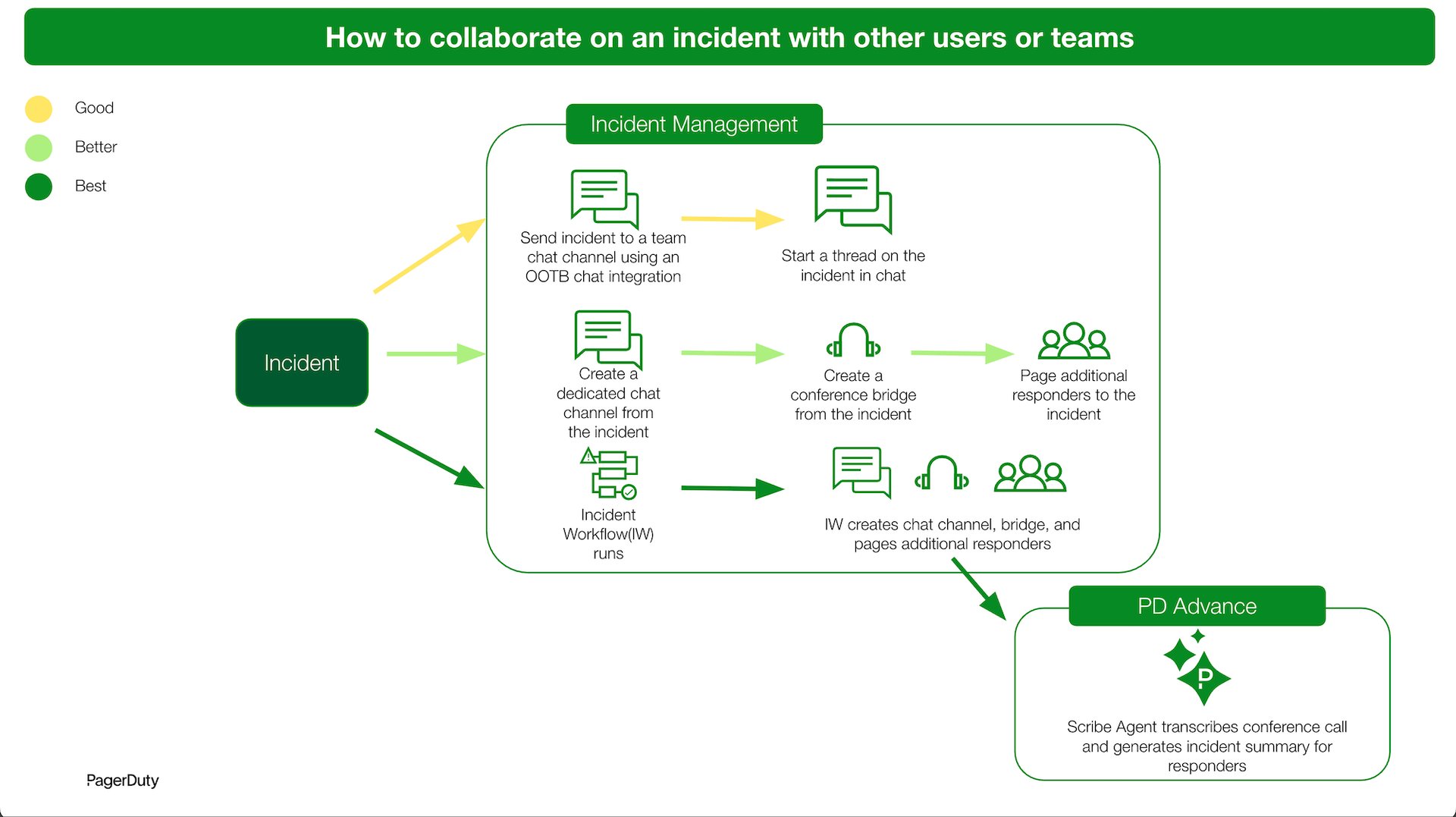
Description of Practices
Good
Send PagerDuty incident notifications to a team chat channel to immediately start a thread about the incident with other team members. This keeps all incident-related communication in one thread without manually linking the incident.
Better
For incidents requiring collaboration across teams, use the PagerDuty incident to create a chat channel and conference bridge to create a dedicated space for real-time discussion. Use PagerDuty’s Add Responders feature to page additional users or teams via their preferred contact methods to join the incident.
Best
Trigger an incident workflow which automatically creates a dedicated chat channel, assigns a conference bridge, and pages the appropriate responders. Use the Scribe Agent to help scribe the conference bridge discussion and generate summaries for incident responders to keep everybody in the loop on its current status.