Triage
How to route events to the right service and team
Good vs better vs best practices for routing events to the right service and team in PagerDuty.
When Does This Matter/Problem Scenario
When you want to limit incident triage and get accurate service-by-service reporting, it's important to ensure that incidents are immediately assigned to the proper PagerDuty service and team.
Why You Should Care
The faster an incident can be triaged and assigned to the proper service and team, the faster the incident can be worked on and resolved.
PagerDuty Practices
PagerDuty offers several ways in which you can ensure an incident lands in the right hands and triggers under the right service.
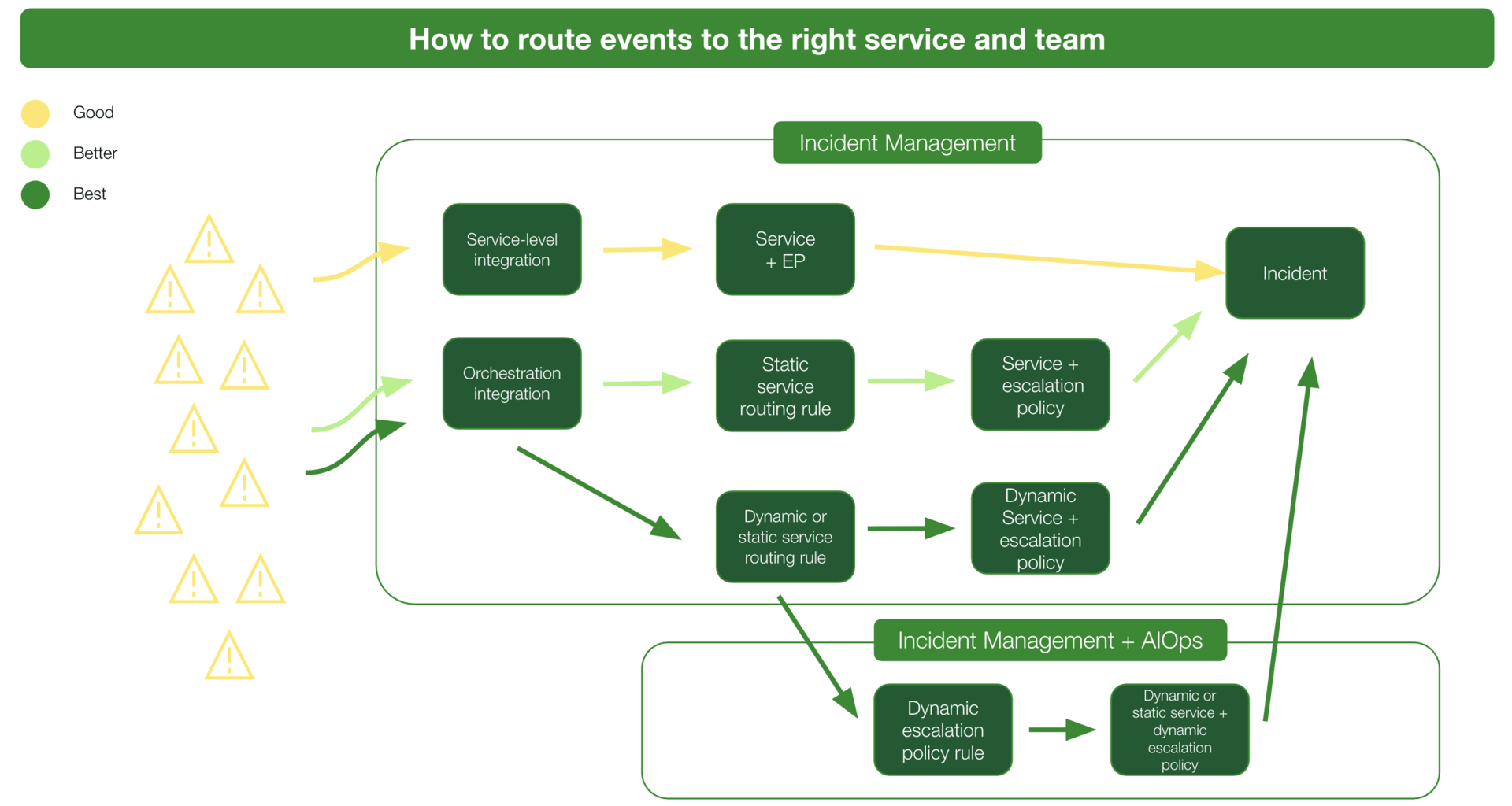
Description of Practices
Good
Send alerts to a service-level integration keys to trigger incidents on a specific service assigned to a specific escalation policy.
Better
Send alerts to an orchestration-level integration key with service routes to direct alerts to a specific service based on alert content.
Best
Send alerts to an orchestration-level integration key with dynamic or static service routes and escalation rules to direct alerts to different services and/or escalation policies based on the alert content.