Dutonian Story
How PagerDuty's AI Data Engineering Team Cut On-Call Incidents by 30%
Learn how one team used PagerDuty's analytics and automation features to reduce alert noise, eliminate manual snoozing, and make on-call shifts actually manageable.
- PagerDuty /
- Ops Guides /
- Using PD /
- AI Data Engineering Team
The Challenge
How They Were Working
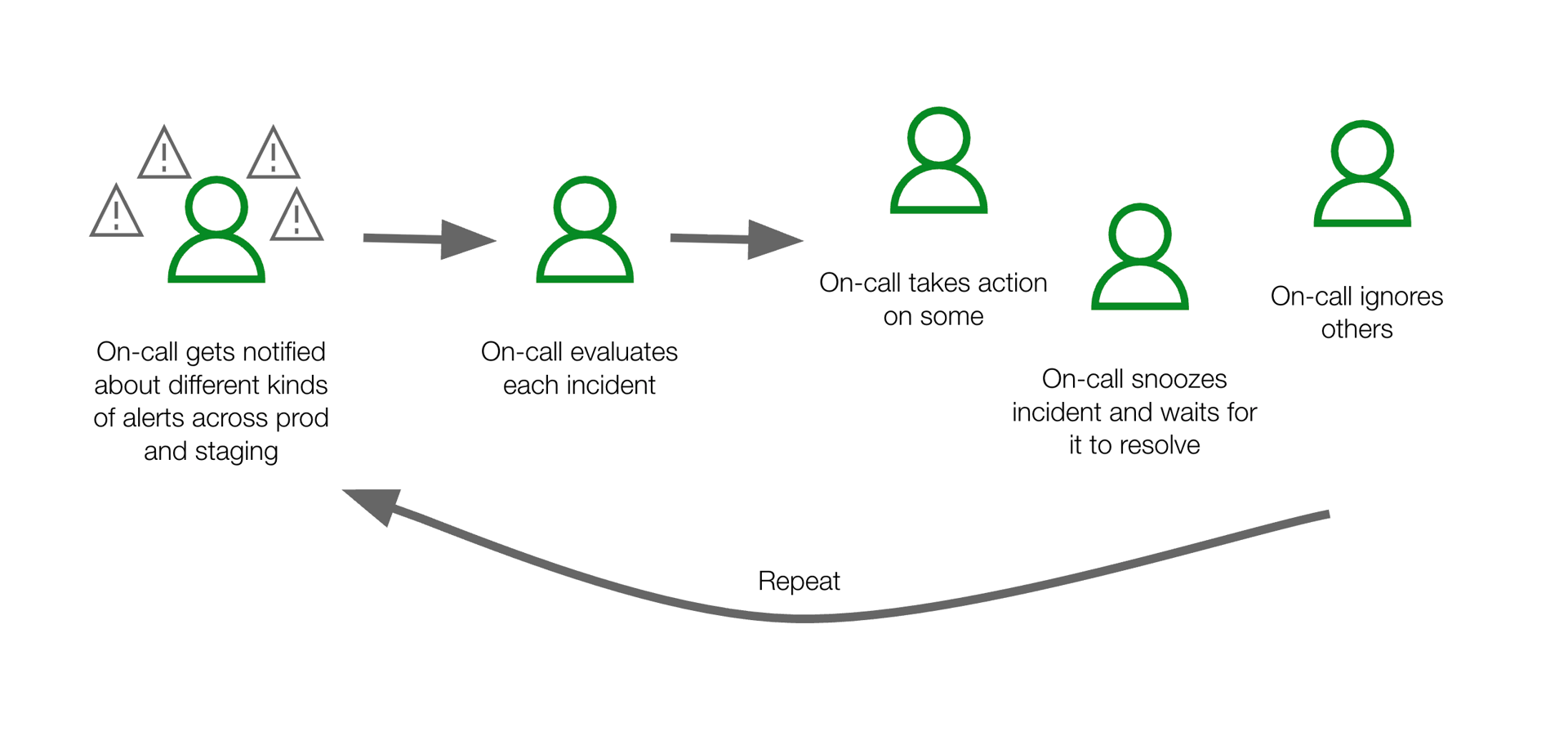
The team was experiencing high incident volumes with many alerts that were not actionable.
Pain Points
High incident count
The on-call would get notified urgently about multiple incidents, some actionable, but many ignorable.
Manual snoozing
The on-call would snooze incidents and monitor them to see if they would self-resolve.
Unscalable on-call load
The on-call was responsible for managing a growing number of incidents as new services were deployed.
Key Challenge
Managing a high alert volume while continuously adding more services and delivering on new features.
The Solution
What They Did
Pull an Insights >> Incidents report by team
Include the created at, resolved at, acknowledged by, TTR, resolved by, auto-resolve columns
Download the report to CSV
Filter report to view potentially unactionable incidents
- Incidents that were not acknowledged or resolved by a human
- Incidents that auto-resolved within 2-5 minutes
- Incidents for "staging" or "test" environments
Implement configuration changes and measure results
Configuration Options Available
The Results
How They're Working Now

With automated alert management and intelligent filtering, the team now focuses only on actionable incidents.
Team Testimonials
As someone who previously would have asked 'why does it matter how we have our alerts set up?', I will happily eat my words - being on-call no longer weighs me down throughout my shift, and responding when there is an actual incident is much easier.
— Data Engineer, On-Call Team Member
My on-call experience has been so much quieter that at first, I kept checking my phone, thinking I had to have missed an alert or something!
— Data Engineer, On-Call Team Member
After implementing these changes, I feel like I barely need to own a smartphone and my wife no longer dreads my upcoming shifts.
— Data Engineer, On-Call Team Member
Wins
Lower Incident Count
The on-call only gets urgently notified about actionable issues requiring intervention.
Automated Snoozing
Self-resolving incidents are automatically snoozed and only notify the on-call if they are not resolved within a certain period of time.
Manageable On-Call Load
Newly provisioned services inherit previously configured rules to ensure known noisy alerts are deprioritized or suppressed.
By The Numbers
Fewer Incidents
Significant reduction in incident volume through intelligent alert management.
Reduction in MTTA
Mean time to acknowledge dropped dramatically with better alert quality.
Decrease in High Urgent Incidents
Fewer false alarms means responders can focus on what truly matters.
Improved Alert Quality
Better content and context in alerts helps teams respond more effectively.
Reduced Manual Work
Less time spent snoozing and monitoring alerts that resolve themselves.
Lessons Learned & Tips
- Review monitors to ensure the right content is included in alerts
- Run analysis weekly to continuously monitor and capture noisy incidents
Ready to transform your on-call experience?
Start your free trial today and see the difference.
Start Free Trial