Dutonian Story
Notifications Management runs self-remediation workflows to automatically resolve incidents
Learn how one team reduced manual toil by 75% and improved work-life balance by automating DLQ message purging through incident workflows and AWS Lambda integration.
- PagerDuty /
- Ops Guides /
- Using PD /
- Remediate - Notifications Management Team
The Challenge
How They Were Working
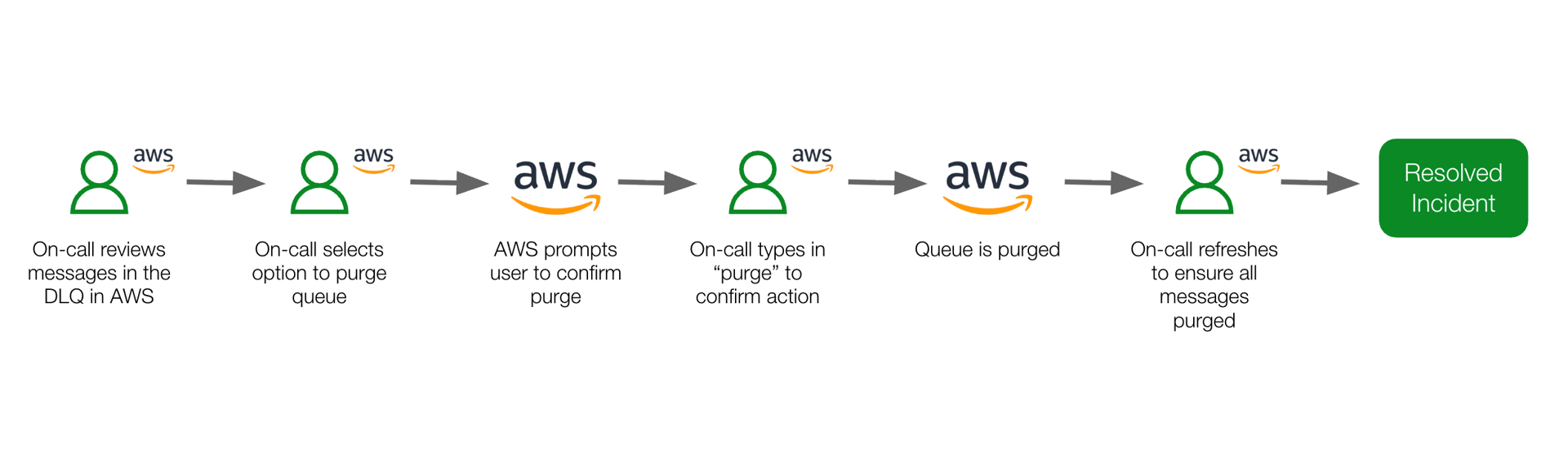
The Notifications Management team relied on manual processes to purge messages from Dead Letter Queues (DLQ). When incidents occurred, the on-call engineer had to log into AWS, navigate through multiple screens, manually purge messages, and retrieve DLQ message details—all while being tethered to their laptop.
Pain Points
Manual Toil
The person on-call was required to execute a multi-step manual process to purge messages in a queue, and multiple manual steps had to be executed by the on-call to reach the information they needed to diagnose issues.
Reduced work-life balance
The person on-call was required to be at their laptop to log in to AWS, causing interruption to those on-call during weekends and evenings.
Less time spent on higher priority work
The time spent manually purging DLQ messages and retrieving DLQ messages from incidents distracted the on-call from focusing on high priority work and projects.
Key Challenge
Resolving repetitively manual incidents while handling other mission critical work.
The Solution
What They Did
Create a Lambda function that retrieves and purges messages from a DLQ
Create an incident workflow that:
- Triggers manually on a specific service
- Calls an AWS Lambda function to purge messages
- Post the Lambda function response back as an incident note
Configure the Slack integration to post incident notes to a Slack channel
The Results
How They're Working Now
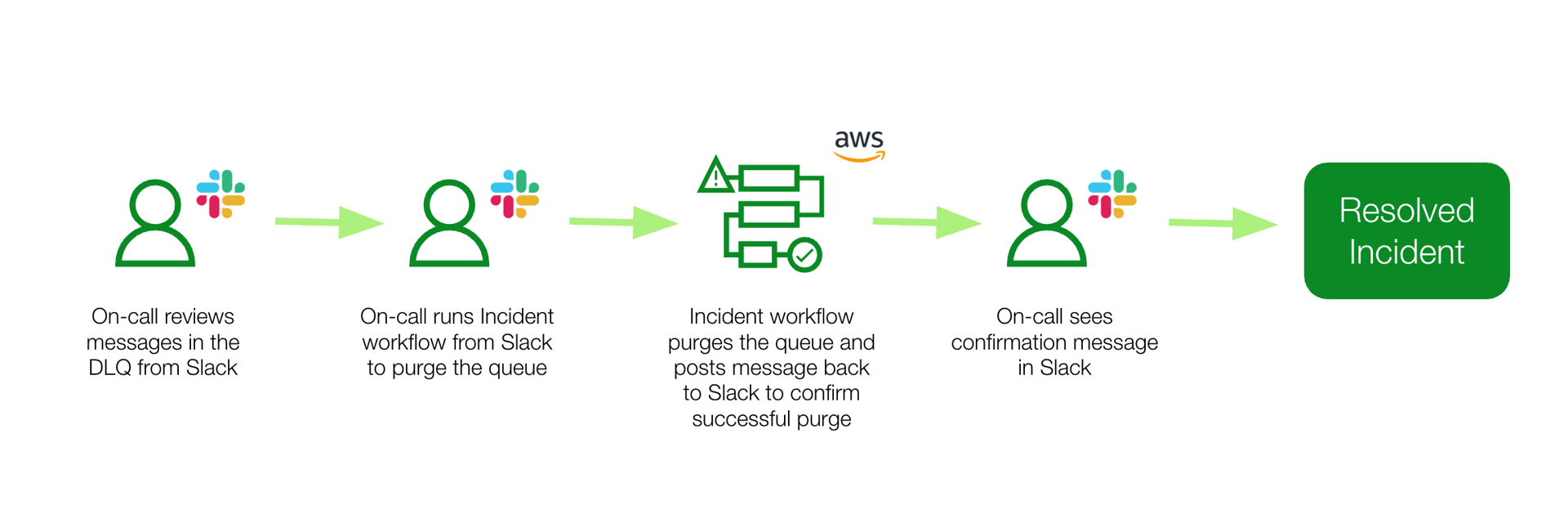
With incident workflows and a seemless integration between Slack and PagerDuty, the team can now resolve DLQ alerts from their desktop or phone with a click of a button.
Wins
Reduced manual toil
The on-call spends less time performing manual work and following manual steps to retrieve message details to diagnose incidents.
Improved work-life balance
The on-call can quickly and easily purge DLQ logs and retrieve DLQ messages from the PD or Slack app without needing to be on their laptop.
More time spent on higher value work
With less time spent on manual work, the on-call is able to focus more time on higher priority incidents and projects.
Outcomes
Reduction in manual steps
Automated remediation eliminated 75% of manual steps required to resolve incidents.
Improved knowledge sharing
New team members onboard faster to the on-call rotation with automated workflows.
Contextualized response
On-call responders have immediate context on what the alert is about and how to diagnose and troubleshoot it.
Increased efficiency
On-call responders worked more efficiently with less manual toil.
Lessons Learned & Tips
- Use GenAI tools to write code and debug Lambda functions for faster development
- Use a phased approach with first phase being human in the loop and then move to complete auto-remediation without human intervention
Ready to automate your incident remediation?
Start your free trial today and see the difference.
Start Free Trial