- PagerDuty /
- PagerDuty Supplier Hub /
- Create account
Creating an account with Coupa Supplier Portal (CSP) for the first time
If this is your first time using Coupa you’ll need to register an account by following some simple steps.
Join Coupa
You will receive an email invitation from PagerDuty to join Coupa. To start the registration process, simply click the Join Coupa button at the bottom of the email.
As part of onboarding, PagerDuty requires all suppliers to provide company details, including tax and banking information. If you are not the appropriate person to supply this information, please notify the procurement team.
Please note: The invitation email may be delivered to your spam or junk folder. If you do not see it in your inbox, be sure to check those folders as well.

Create an account
To start your registration, please:
- Enter your company’s Legal Business Name, as well as your First and Last Name.
- Create and confirm your password.
- Check the box to agree and accept the terms.
- Complete the “I’m not a robot” verification, if prompted.
- Click Create an account to continue.

Take the tour
Coupa has created a welcome tour for all new users. It is recommended that you click through it to learn all the features that are available to you.

Set up your security & multi factor authentication
For security, you must set up Multi-Factor Authentication (MFA) before providing your company information in the onboarding form.
To set up MFA:
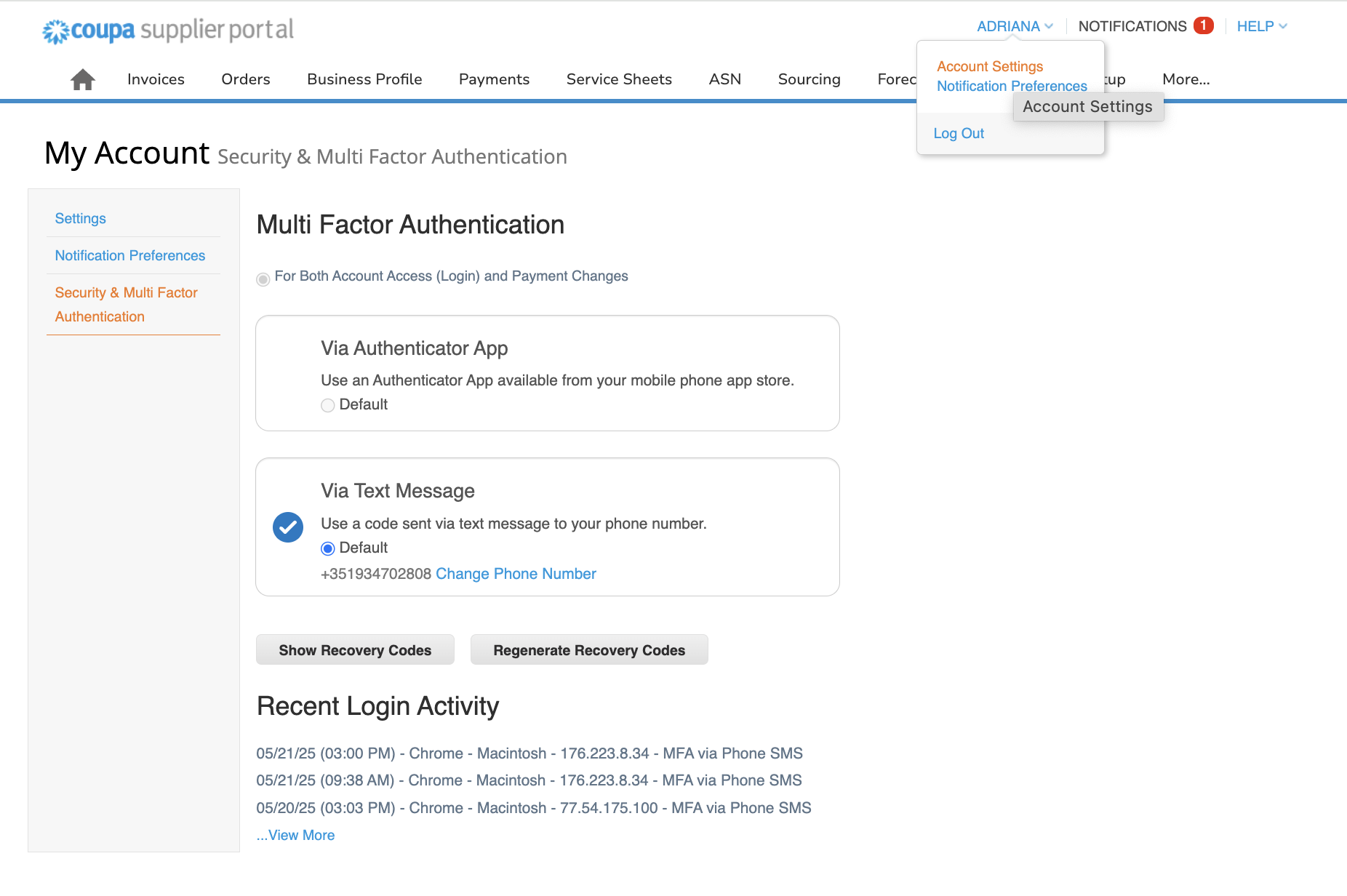
- Click your name in the top right corner of the page and select Account Settings.
- Choose Security & Multi-Factor Authentication, then select via text message.
- Enter the phone number you want to associate with your account.
- Complete the “I’m not a robot” verification, if prompted.
- Click Create an Account to continue.
Each time you log in to the Coupa Supplier Portal, you’ll need to enter the 5-digit code sent to your phone.
Once MFA is set up, you’re ready to complete the onboarding form and start using the Coupa Supplier Portal.